Case study

File System Engine

Electron + React 19 desktop app with dual-pane file browsing, SQLite activity logging, and hardened IPC.

  • Electron
  • React
  • TypeScript
  • SQLite
The core problem

What needed solving

Standard OS file managers lack the dual-pane workflows, activity audit trails, and secure IPC boundaries required for power users and agentic automation tooling.

The solution

What I built

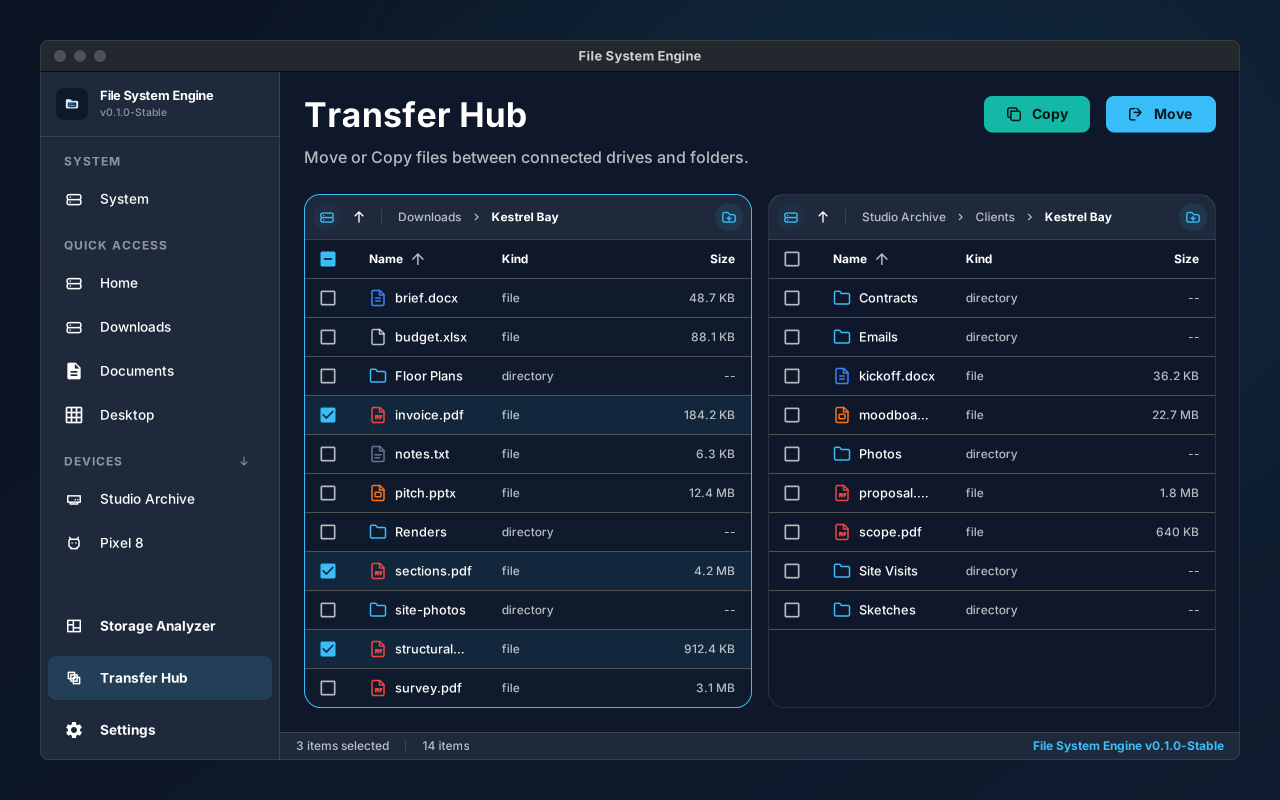
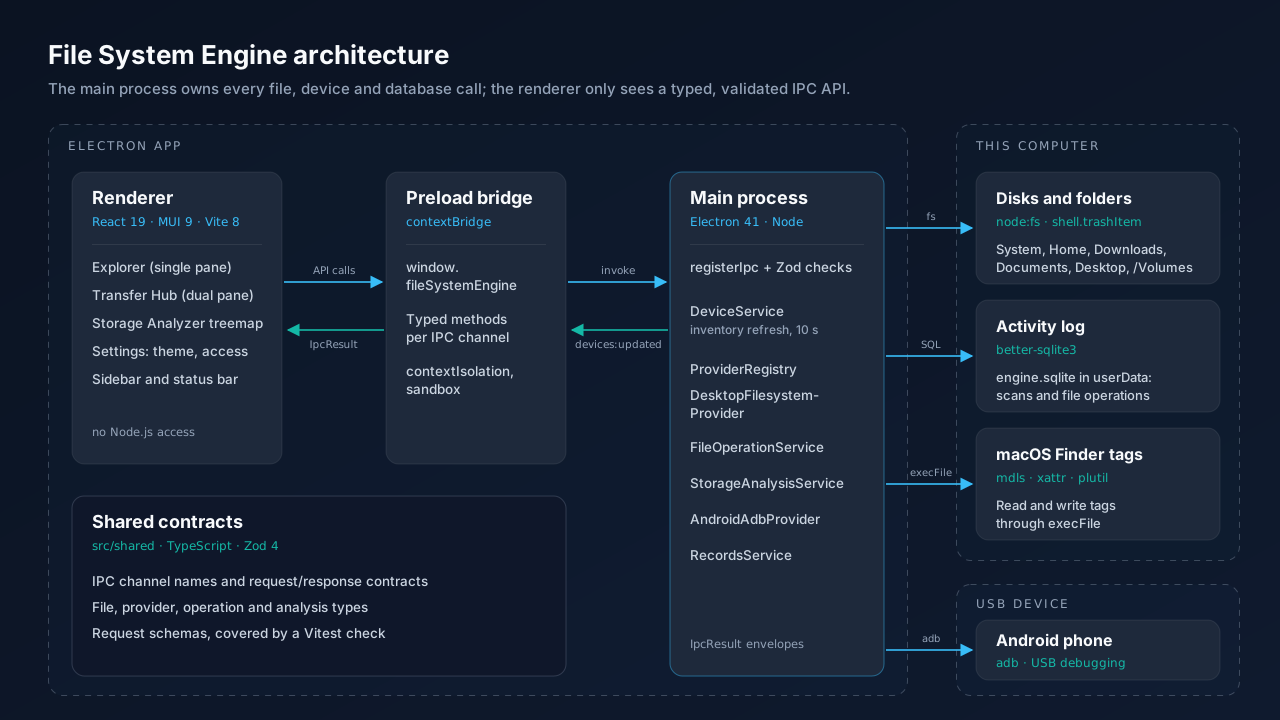
File System Engine delivers a dual-pane Electron desktop experience with type-safe IPC between main and renderer processes, SQLite activity records for every file operation, and a strict CSP that allows MUI dynamic styling without external script execution.

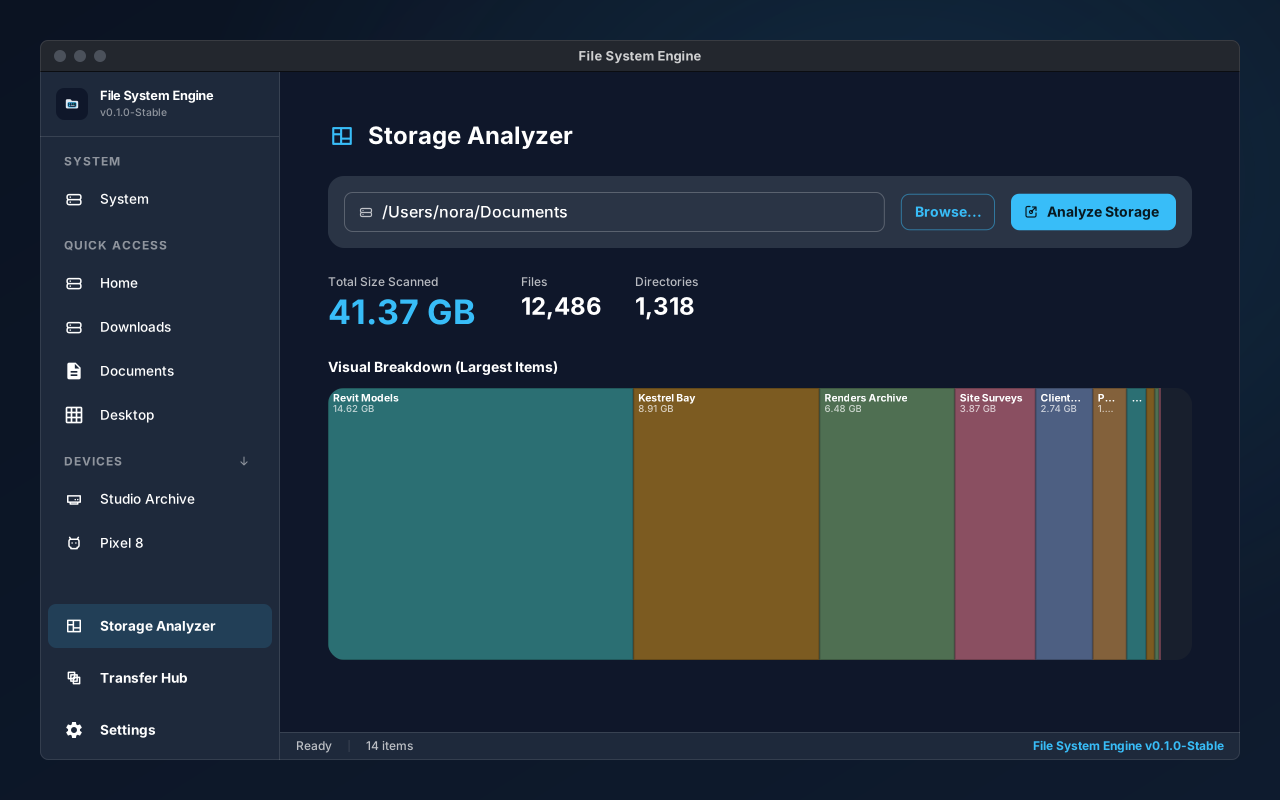
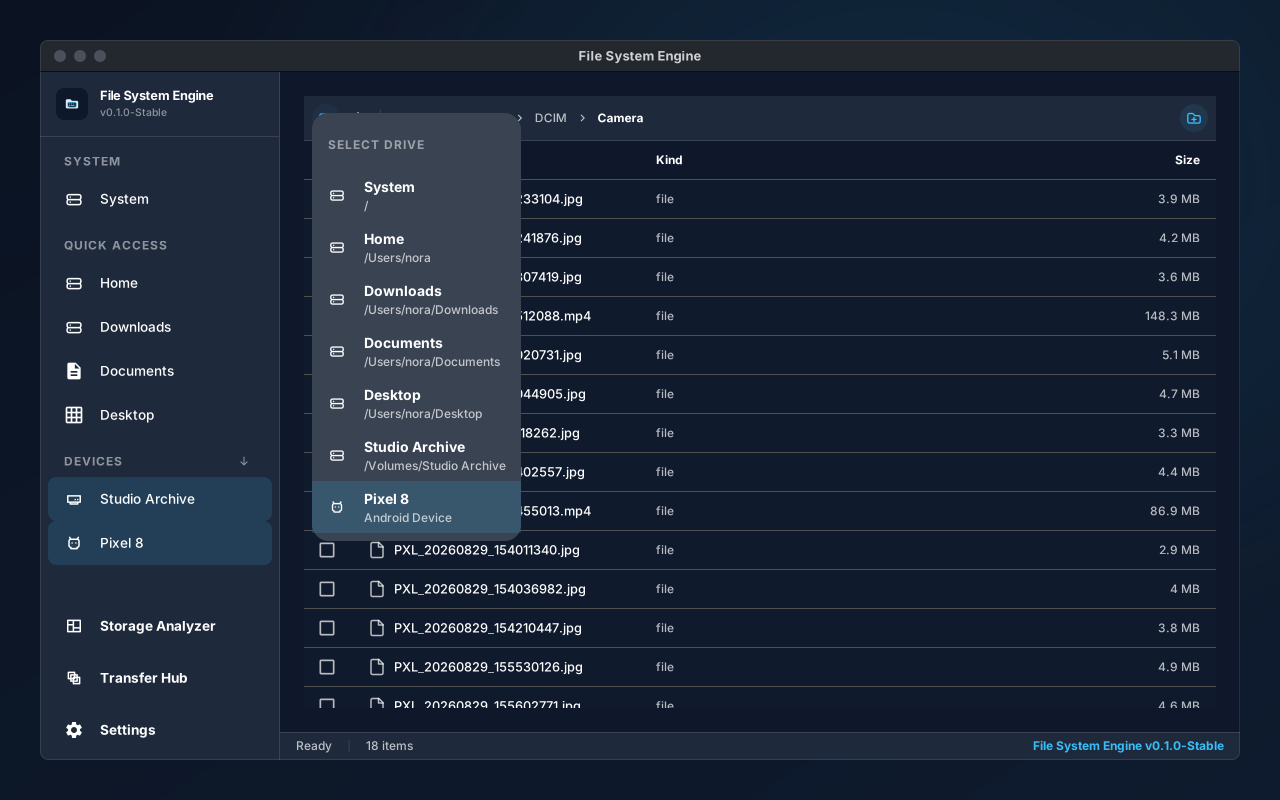
A cross-platform desktop file manager built with Electron, React 19, and Material UI. Features dual-pane file browsing, smart breadcrumb navigation, quick-access sidebar, and a hardened architecture with context-isolated IPC, strict Content Security Policy, and SQLite-backed activity logging. Targets macOS and Windows.

Integration

How it fits together

Electron’s main process owns the file system and a SQLite activity log. The React 19 + Material UI renderer never touches Node directly; it calls a typed, context-isolated preload API over IPC. A strict Content Security Policy allows MUI’s dynamic styles while blocking external scripts.

The flow, step by step

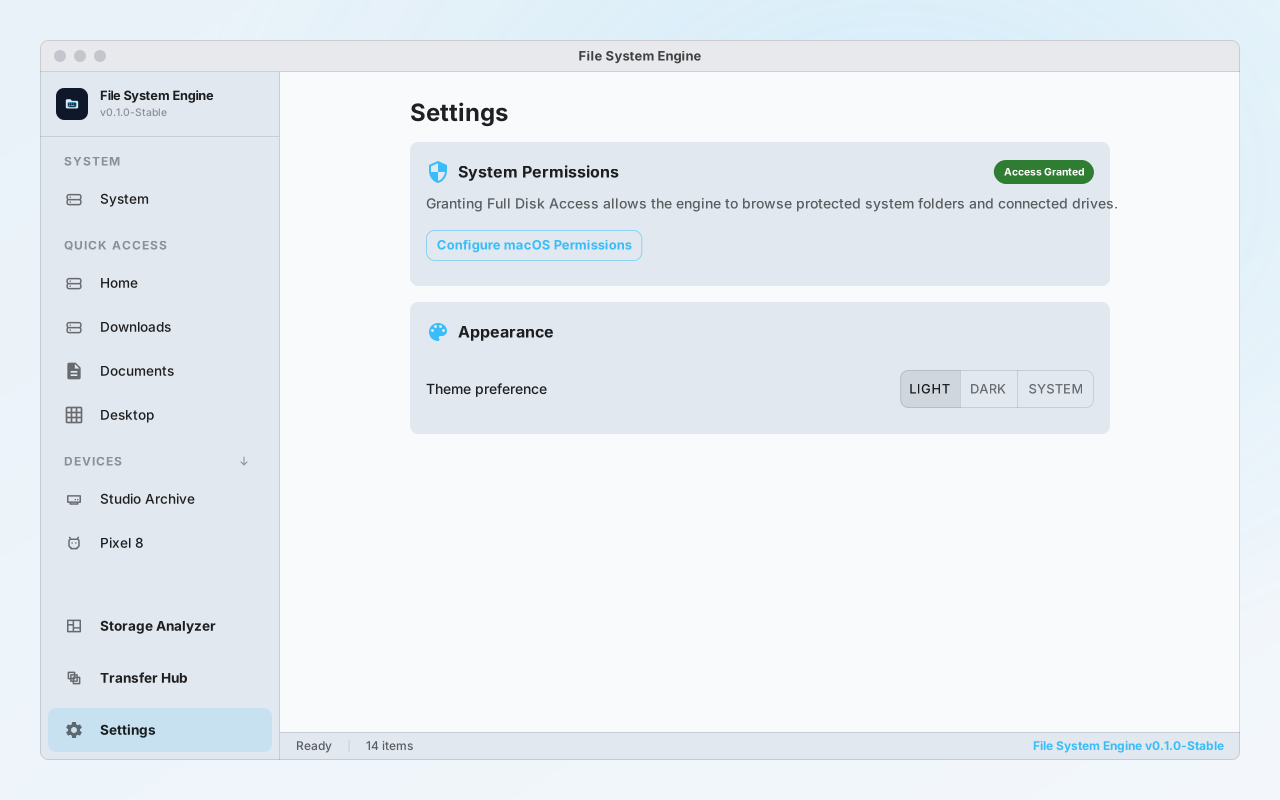
  1. Launch the app on macOS or Windows (grant Full Disk Access on macOS or elevation on Windows if prompted).
  2. Use the dual-pane browser to navigate directories side by side and drag/copy between panes.
  3. Use the quick-access sidebar to jump to Home, Downloads, Documents, or mounted drives.
  4. Review the activity log for a persistent record of all file operations performed.
Problems along the way

What got hard, and what I did about it

A renderer with file-system power

The problem

Giving the UI direct Node access turns any injected script into full disk access.

What I did

Enabled context isolation and exposed only a small, type-safe IPC surface from the preload script.

Strict CSP versus dynamic styling

The problem

MUI injects styles at runtime, which a naive strict CSP blocks.

What I did

Tuned the policy to permit style injection while still refusing external script execution.

Takeaways

What I learned

  • Electron security is mostly about what the renderer is not allowed to do.
  • An audit log (SQLite) is cheap to add early and invaluable for debugging and automation later.
Outcome

Where it stands today

Dual-pane file browser with smart breadcrumbs and quick-access sidebar — macOS and Windows.
Type-safe Electron IPC with context isolation: renderer has no direct Node.js access.
SQLite activity log persisting every file operation for audit and replay.
Strict Content Security Policy configured to allow MUI dynamic styles while blocking external scripts.

Milestones

  • Dual-pane file browser

    Side-by-side browsing, breadcrumb nav, and sidebar implemented.

    Shipped
  • Hardened IPC & CSP

    Context-isolated preload API and strict CSP configured.

    Shipped
  • SQLite activity logging

    Persistent file operation records via SQLite.

    Shipped
  • Agentic Agent Pack

    Integrated agent roles for automated maintenance — Phase 5/6 foundation in place.

    In Progress

Next up

  • Complete Agent Pack roles for automated file maintenance and organization.
  • Add cloud drive mounting (Google Drive, OneDrive).
  • Ship signed macOS and Windows installers.